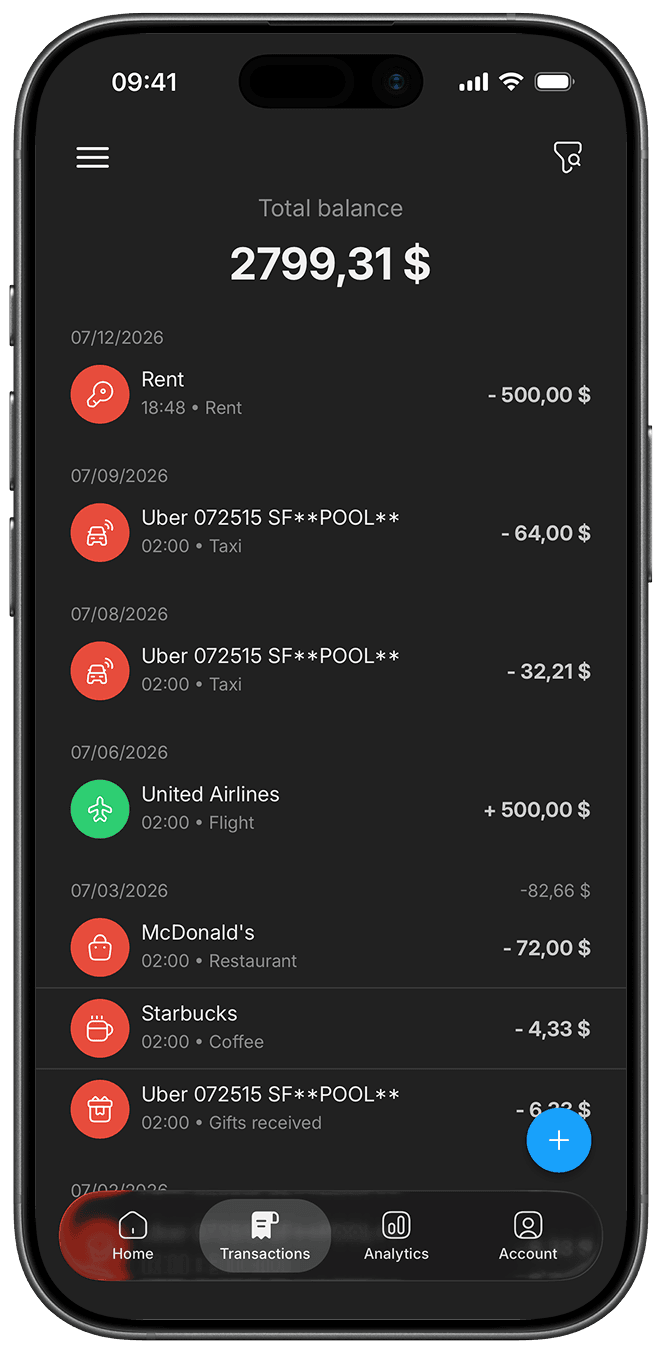
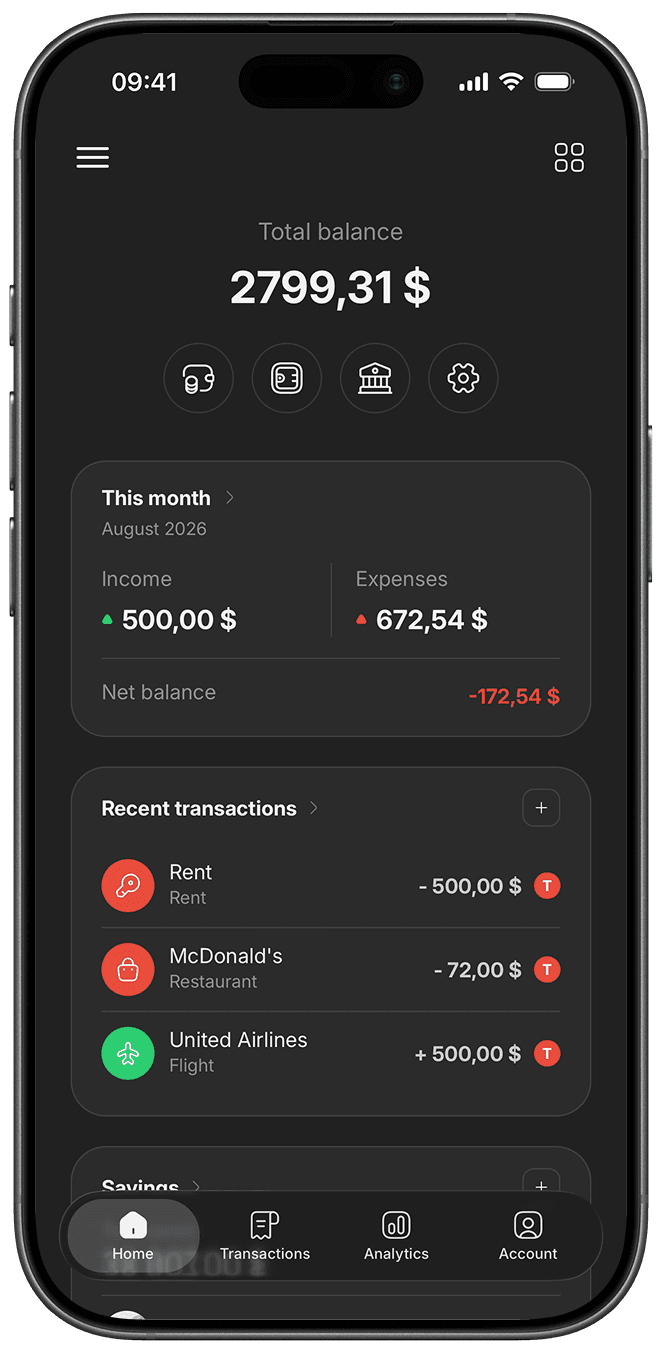
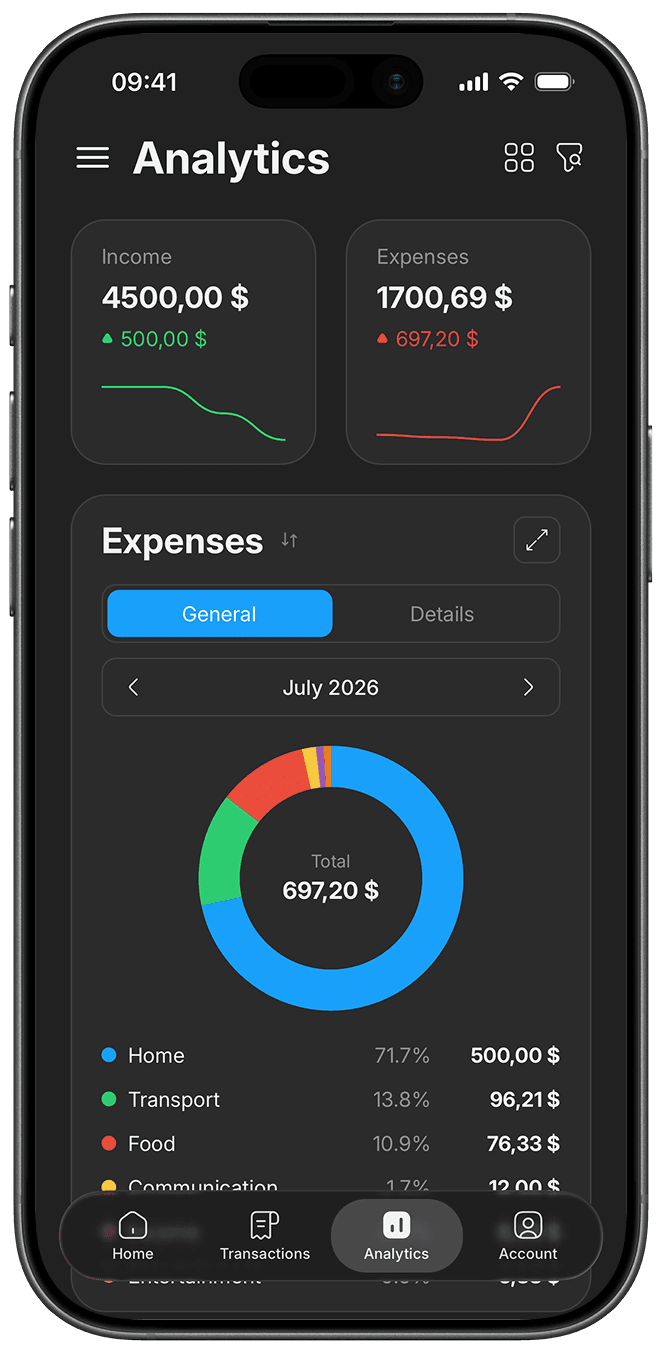
You add the expense. The app does the rest: categories, balances and summaries update themselves. Everything you keep in a spreadsheet today lives in your phone instead, always current and available offline.
| A | B | C | D | |
|---|---|---|---|---|
| 1 | Title | Description | Date | Amount |

You type every row by hand
Total balance
$3,741.89
This month
June 2026
Income
$1,500.00
Expenses
$53.35
Recent transactions
It adds up by itself
Budgets, savings goals, shared boards and bank import. These are the features that keep your money under control.
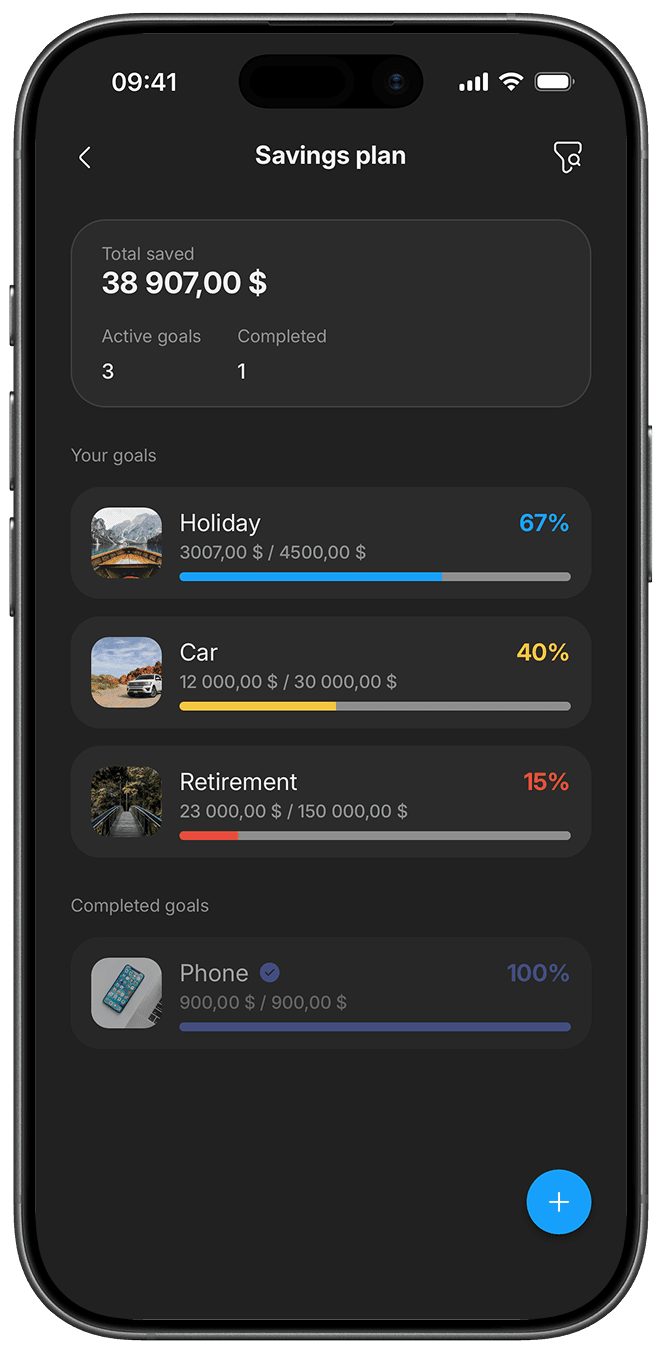
Put money aside for what matters. Set a goal and Blue Piggy shows you how much you have and how far you still have to go.
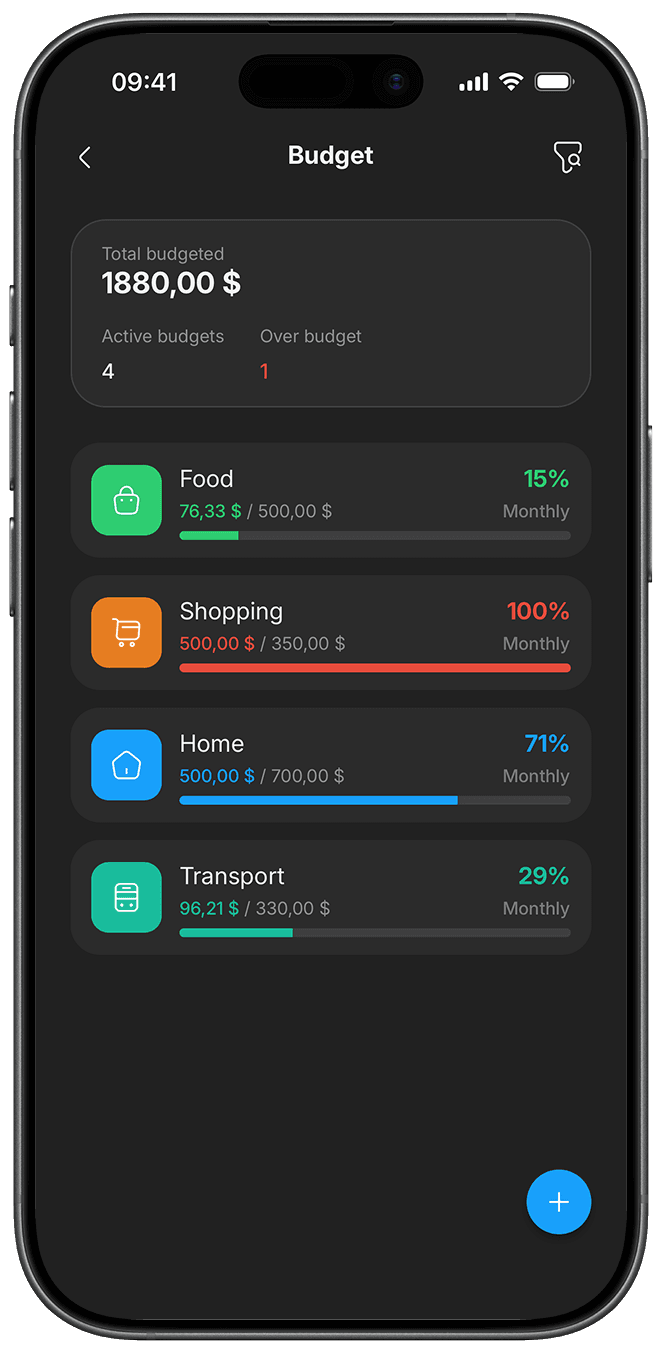
Set monthly limits for each spending category and see at a glance how much you can still spend before you go over.
Connect your spending to your bank account. Upload a statement and Blue Piggy reads the transactions and adds them for you, no retyping.
One board for you and the people you split costs with. Everyone sees the same expenses and balances, and the app works out who owes what.
Shared spending gets out of hand fast. Someone paid for the groceries, someone else for gas, and a week later nobody remembers who spent what. In Blue Piggy you add expenses as they happen and the app does the math for you.
Create a shared board and invite friends, your partner or your roommates. Everyone sees the same expenses and balances in real time, on their own phone.
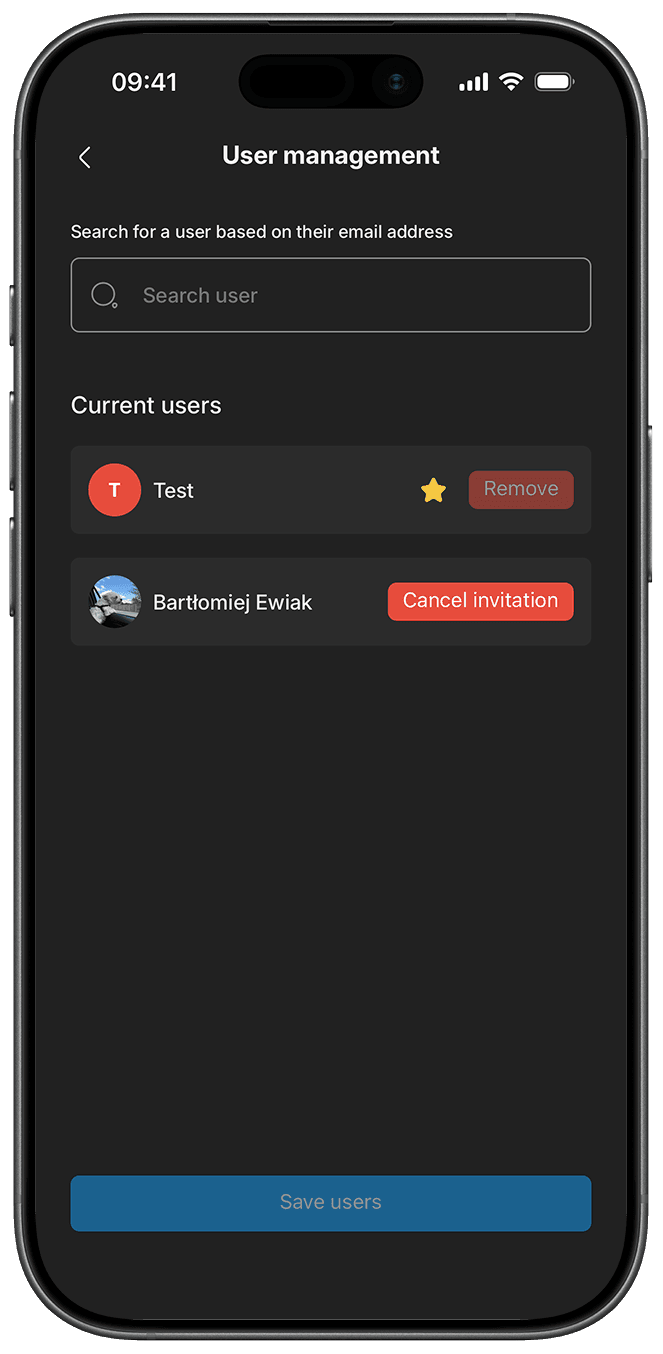
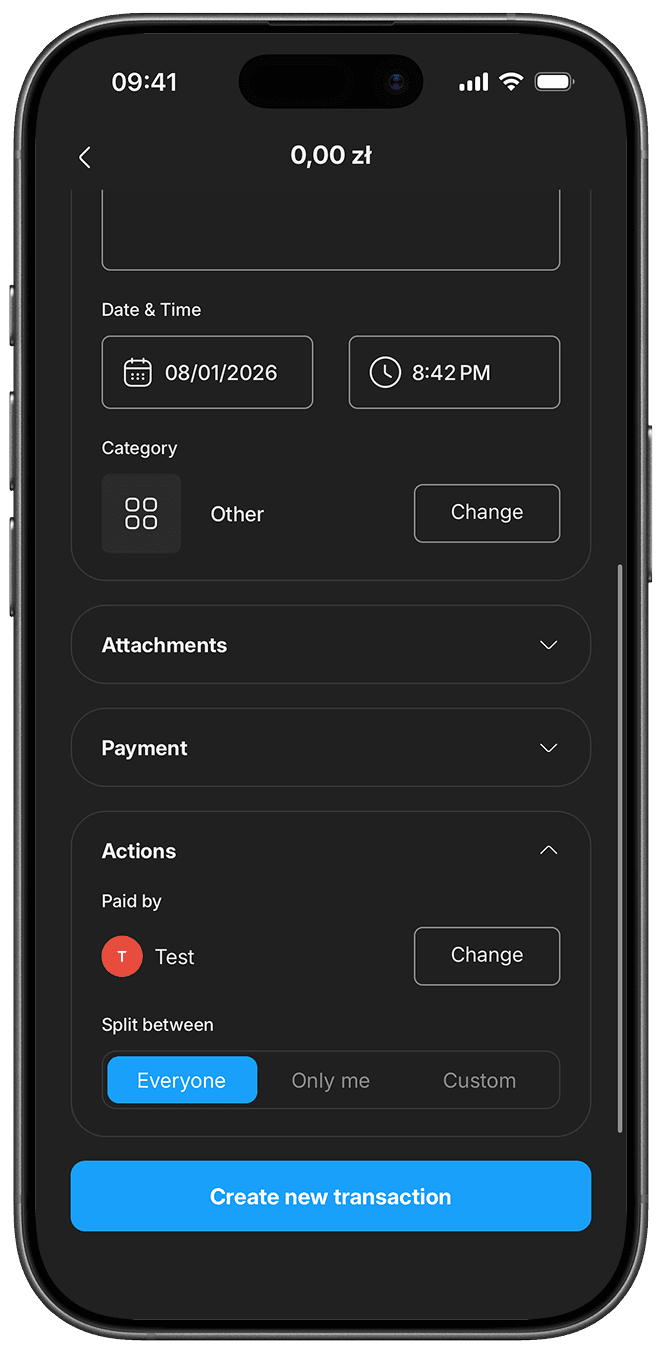
Everyone equally? Just you? Or only certain people? With every expense you decide who takes part in it, and Blue Piggy splits the amount accordingly.
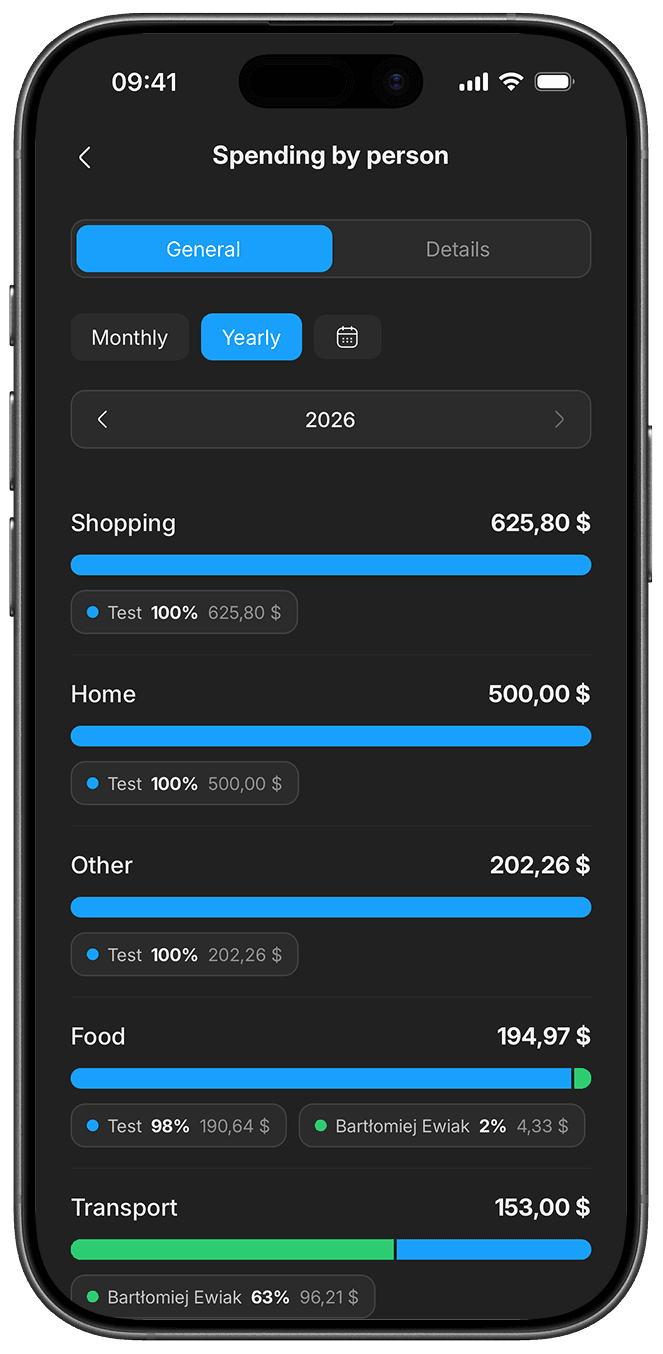
Follow how much you're spending and on what. Charts and summaries give you the full picture of the shared budget before it catches you out.
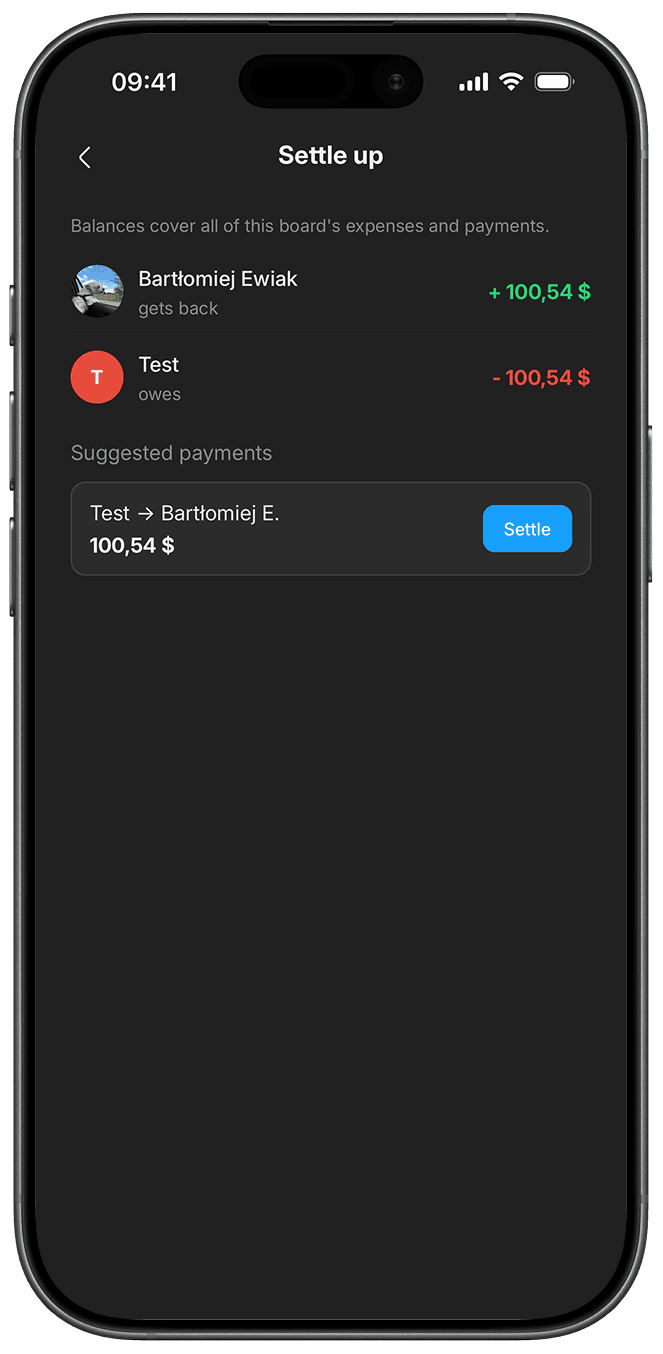
At the end, one glance is enough. The app shows who owes whom and boils it down to the fewest transfers possible. You pay, mark it settled, done.
Charts, trends and your full transaction history in one place. See where the money goes before you decide where to cut back.
Every expense lands in a category, and the donut chart shows what your money actually goes on. One glance and you know where to look for savings.
This month's income and spending, always at hand. Balances update as you go and work offline, and everyone on the board sees the changes.
Compare months on a single chart and see whether spending is creeping up or holding steady. The current month sits alongside the ones before it.
Go back to any period, filter by category and person, and see how your balance changed over time. Your full history is always within reach.
No more guessing whether you can afford the next purchase. You set a limit for each category and stick to it without effort. A budget can run for any period you like: daily, weekly, monthly or yearly. If none of those fit, pick your own date range, ideal for a trip, a renovation or the holiday season.
Blue Piggy shows you as you go how much of the budget you've spent and how much is left until the end of the period. Your money is under control before you cross the line, not the day after.
Everything worth knowing before you start. And if something's missing here, just get in touch.
Most budgeting apps stop at tracking your own spending. Blue Piggy adds shared finances: one board where you and the people close to you see the same expenses, and the app works out on its own who still owes whom. On top of that you get budgets, savings goals and charts showing where the money really goes.
Yes. To join a shared board they have to download Blue Piggy and create a free account. Nobody pays anything just to join, and you all see the same expenses and balances straight away.
Yes. You can add and browse expenses with no signal. Once your phone is back online, the changes reach everyone else on the board.
Yes. You can add expenses in different currencies to a single board, and Blue Piggy converts them into your main currency so you see the full picture in one place.
Not yet. Bank sync and statement import are still in the works, which is why we mark them as "Coming soon" on this site. For now you add expenses by hand, which takes a few seconds.
You pay with your iPhone and Blue Piggy records the expense for you. Nothing to retype, nothing to remember once you get home. The feature is part of the Pro plan.
Blue Piggy is free to download and free to start using. You create an account and immediately track expenses, build budgets and split costs with friends, with no fees at all.
If you need more, Pro costs $2.99 a month. It unlocks unlimited boards and unlimited people on them, unlimited budgets and savings goals, and automatic Apple Pay logging. You can cancel your subscription at any time.
The subscription runs through the App Store or Google Play, so you cancel it in your account settings there. Pro stays active until the end of the month you've paid for, then the account goes back to the free version. Your data stays where it is.
Yes, the security of your data is a priority for us.
The connection to the app is encrypted and we keep financial data on secured servers. Only your account has access to it, nobody else sees your expenses or your budgets. In-app payments are handled directly by the App Store or Google Play, so we never store or see your card details. We don't sell your data and we don't share it with third parties for advertising.
You delete the account yourself, in the app's settings. It happens right away and it can't be undone, because we keep no backup that could restore it.
Your entries on shared boards stay with the other members so their balances still add up. The details are in our privacy policy.